Otter Color Picker
A smarter color workflow for digital artists.
Meet Otter Color Picker
A color picker built for artists who want to explore color without losing control of value.
Choosing colors sounds simple until you actually start painting.
You find a color you like, move the hue a little warmer, make it more saturated… and suddenly it’s much lighter than before. Now the value structure of the painting has changed too.
That little frustration was one of the ideas behind Otter Color Picker.
Instead of treating color as just a point on a color wheel, Otter Color Picker is designed around the way artists often think while painting: color and value are related, but sometimes you want to change one without accidentally changing the other.
Explore color while keeping the value
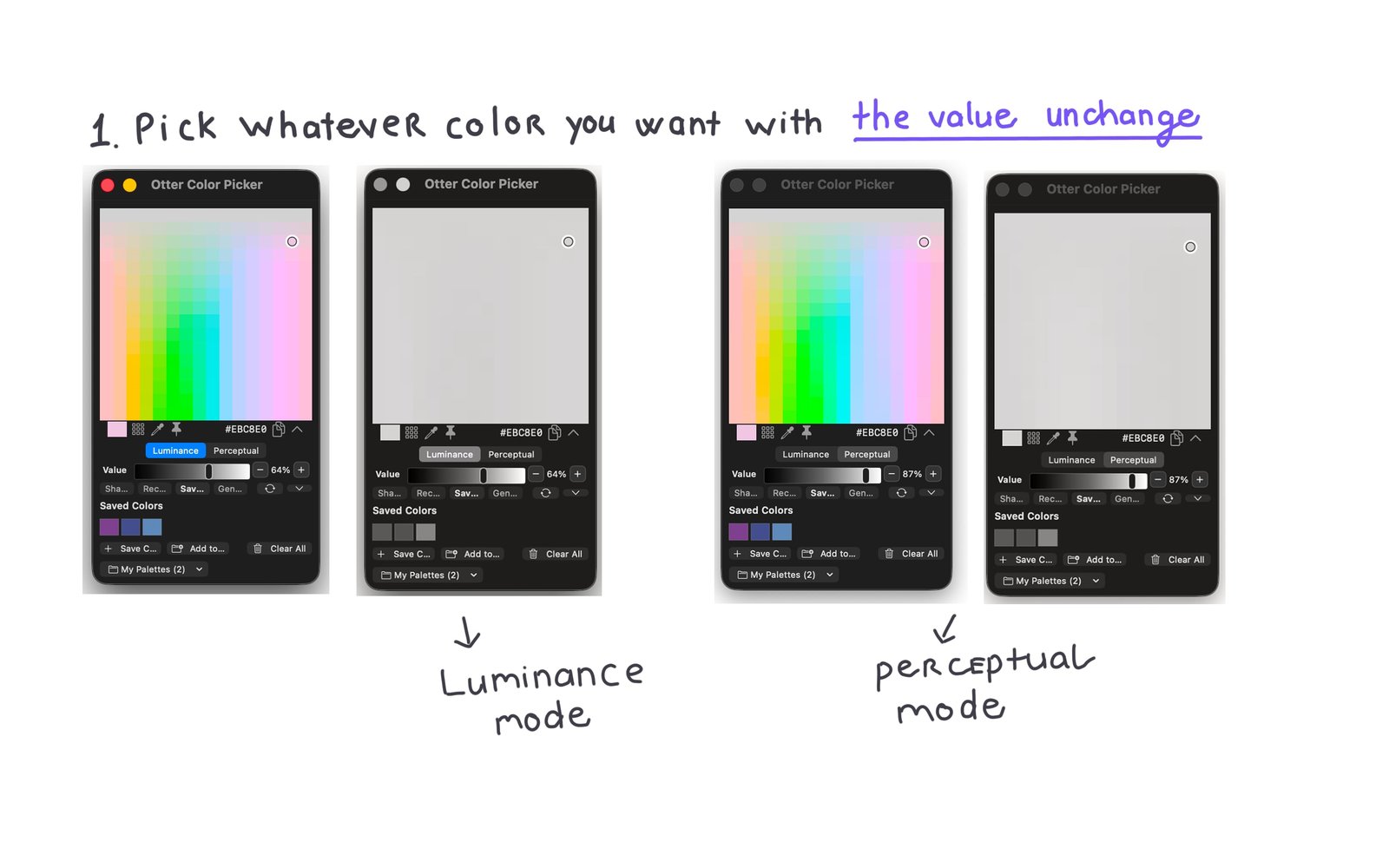
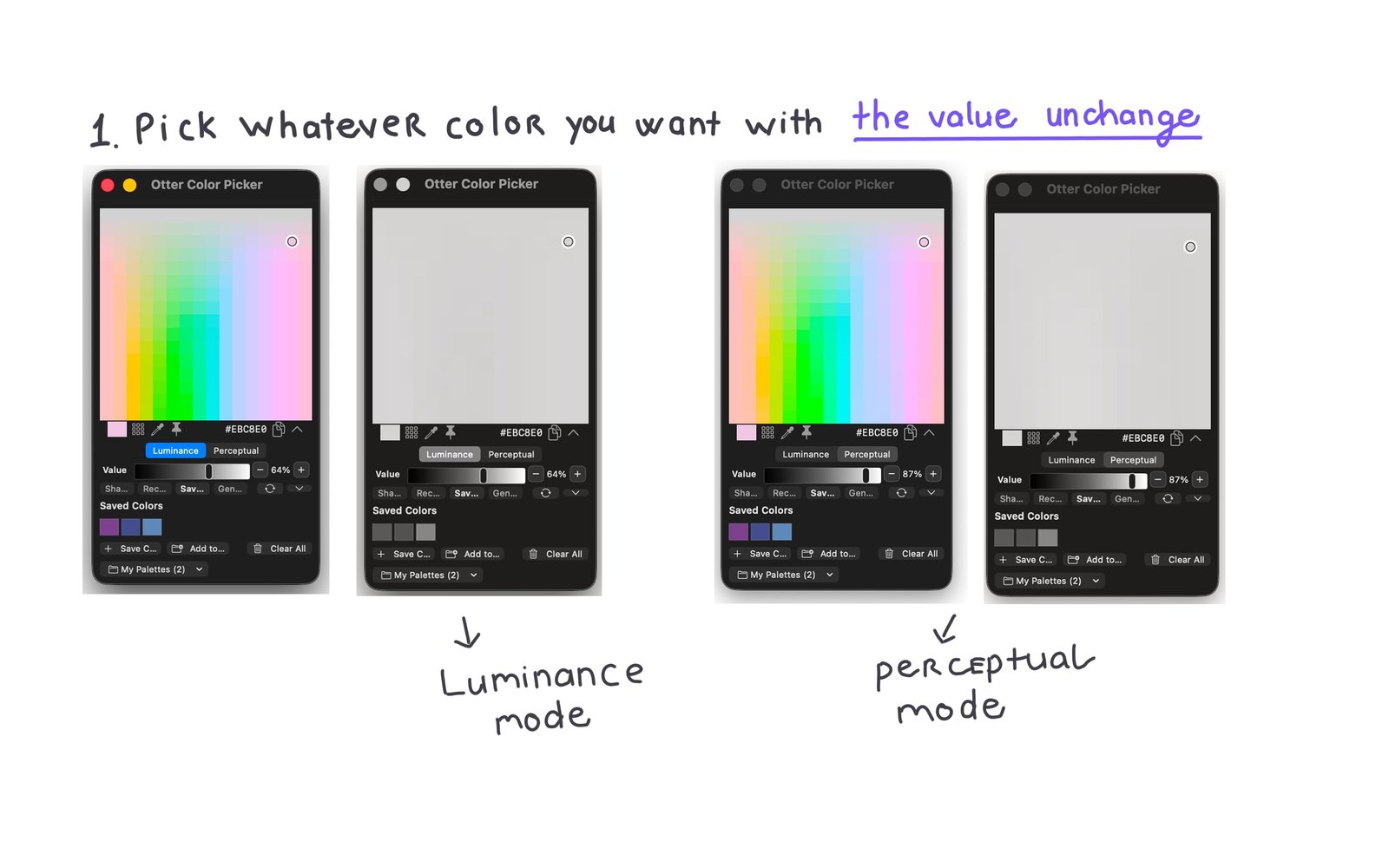
One of the main features of Otter Color Picker is the ability to explore different colors while keeping their perceived value as consistent as possible.
For example, you might have a gray with the exact value you want for a shadow.
Instead of guessing which blue, purple, red, or green has a similar value, you can use that gray as your starting point and explore different colors around it.
The goal isn’t to choose colors for you. It’s to give you a more predictable place to explore them.
This can be especially useful when you’re working on:
shadows and highlights
color variations
character palettes
environment painting
lighting studies
keeping a clear value structure while adding color
Works alongside your painting tools
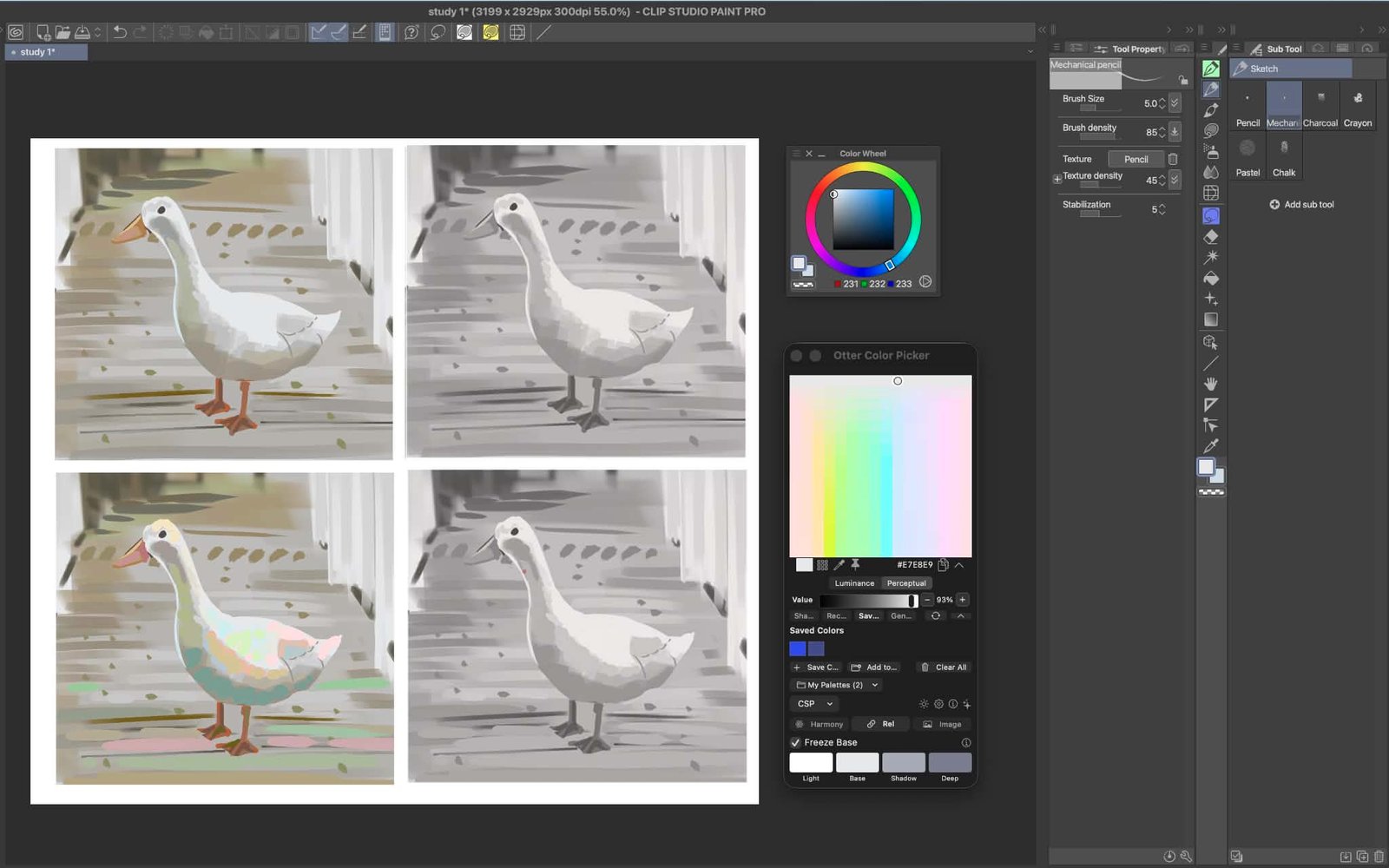
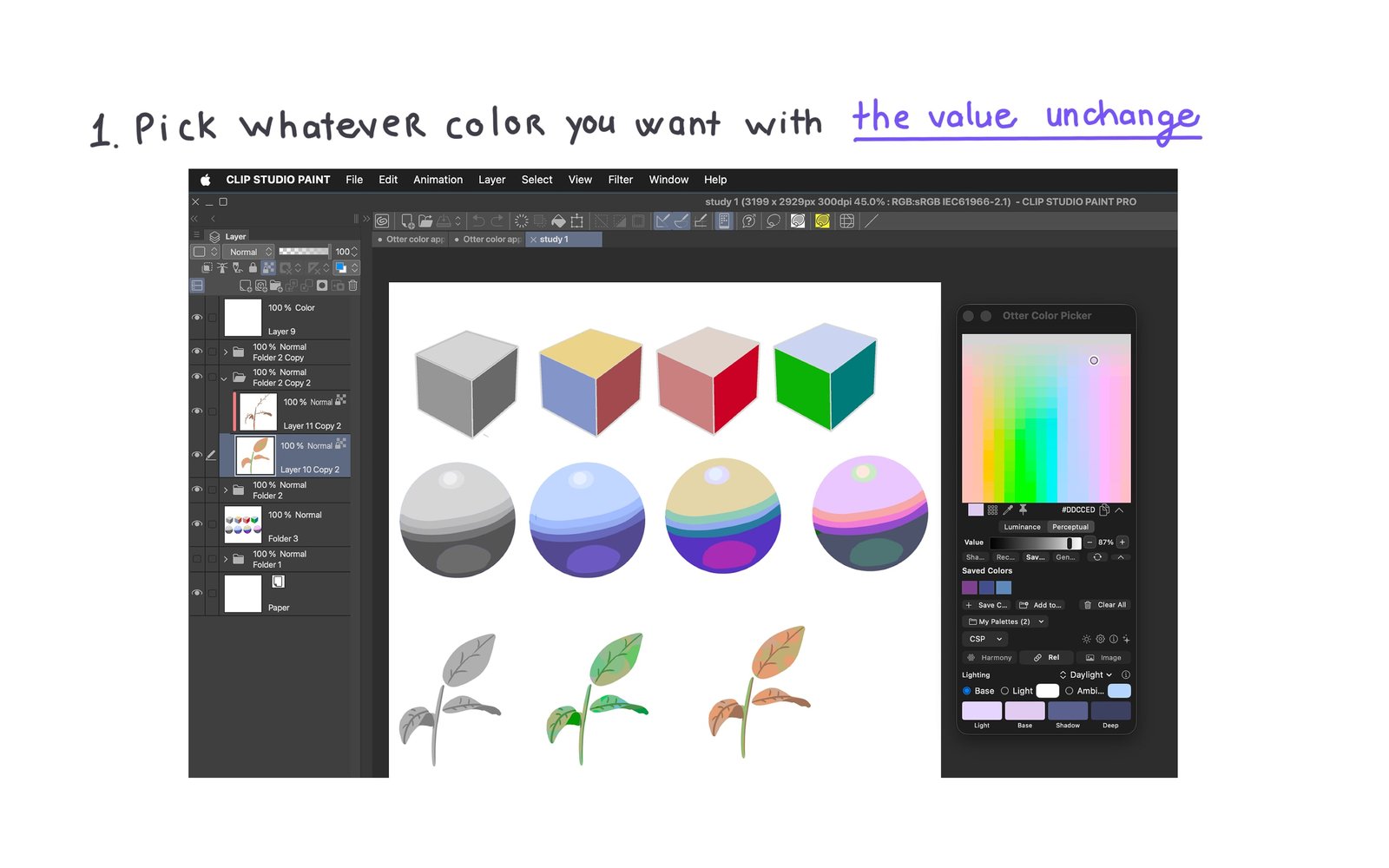
Otter Color Picker can be used as a standalone color tool, with optional integration designed to make moving colors between Otter Color Picker and Clip Studio Paint faster.
Built around light and shadow
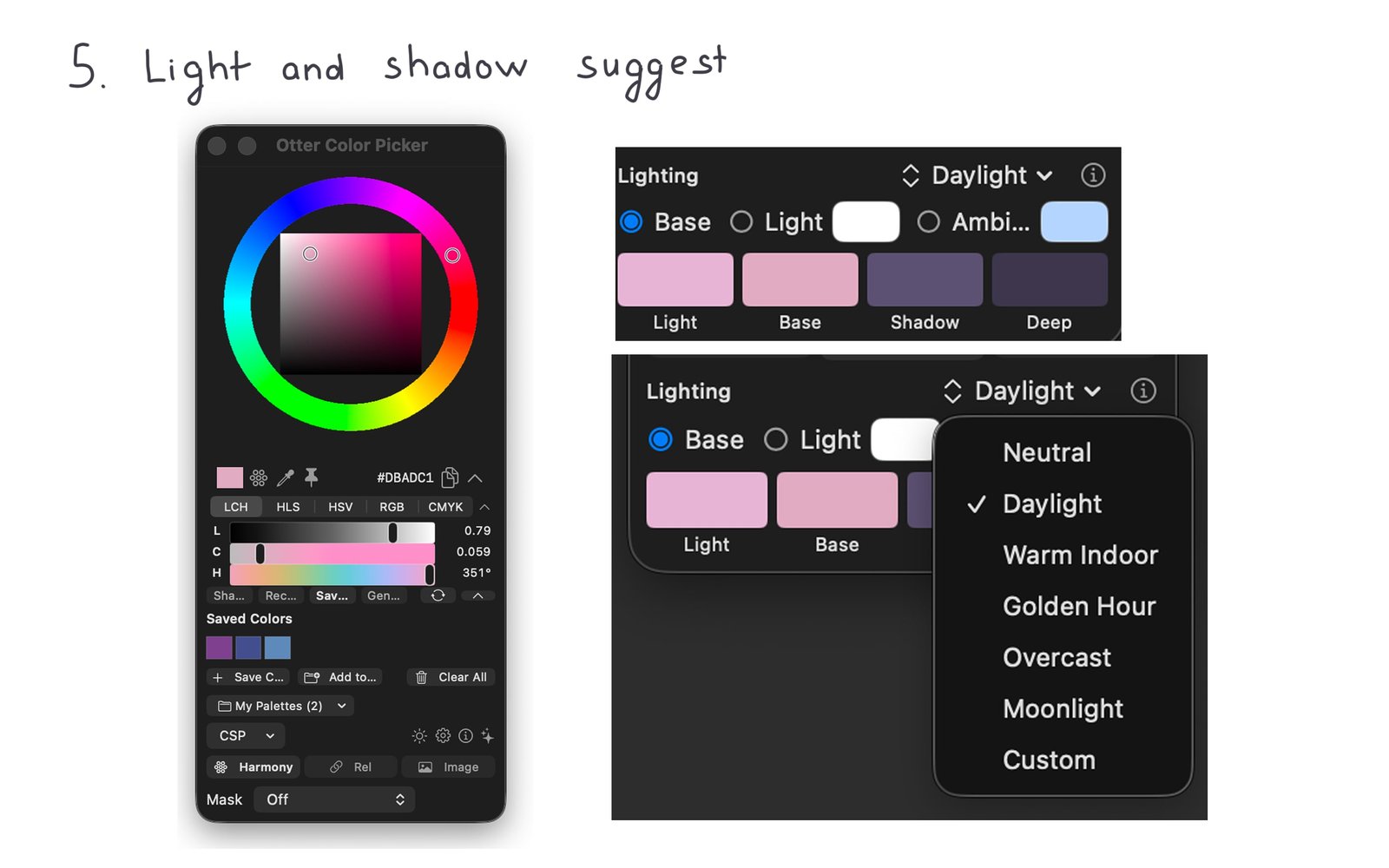
Otter Color Picker also organizes colors into practical groups such as Light, Base, Shadow, and Deep, making it easier to think about a palette as part of an object or scene rather than as a collection of unrelated swatches.
You can experiment with how a base color behaves under different lighting conditions, move between lighter and darker relationships, and build variations without starting over every time.
There are also Low, Medium, and High controls for finer adjustments when you want a little more control over the result.
More ways to explore color
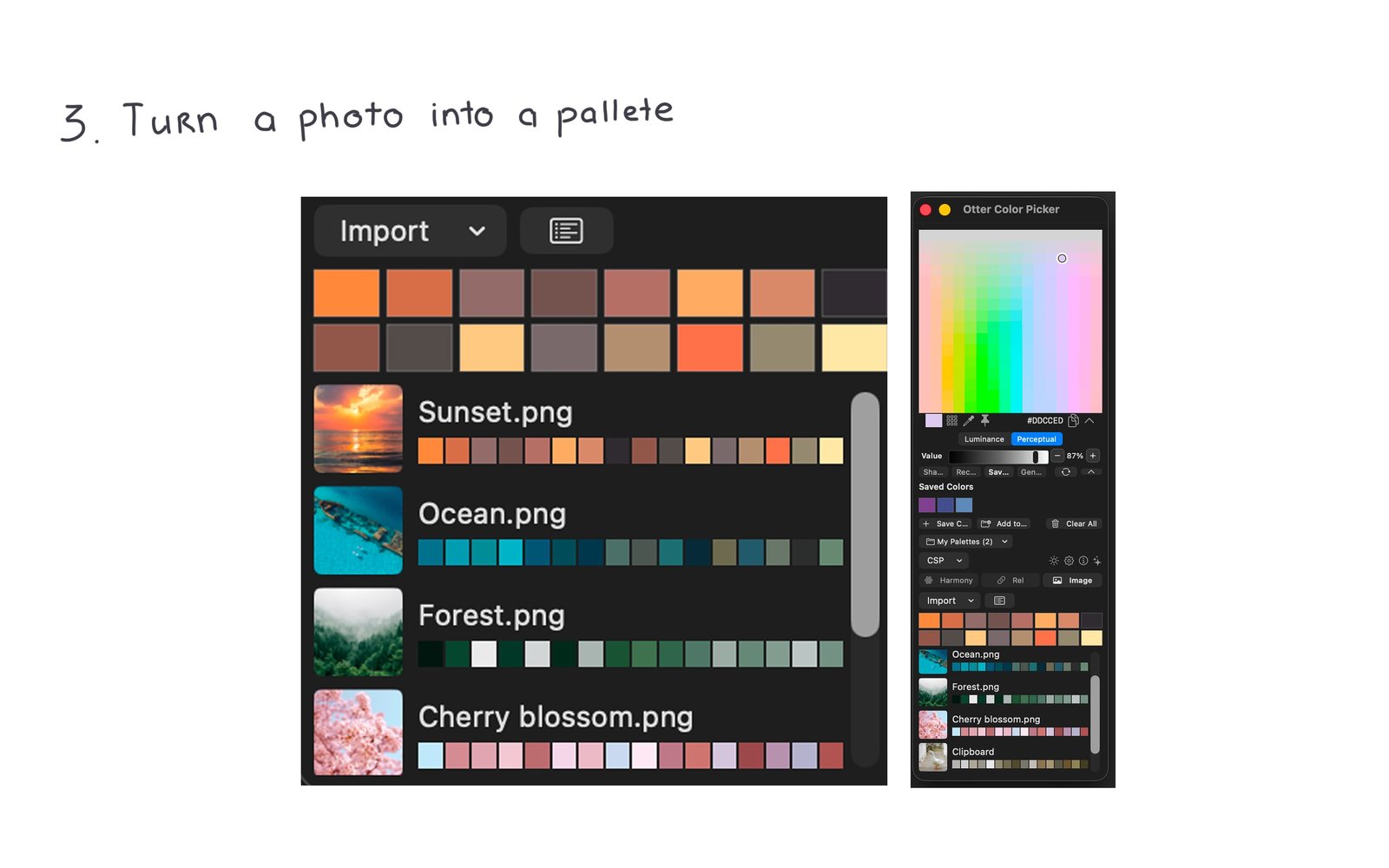
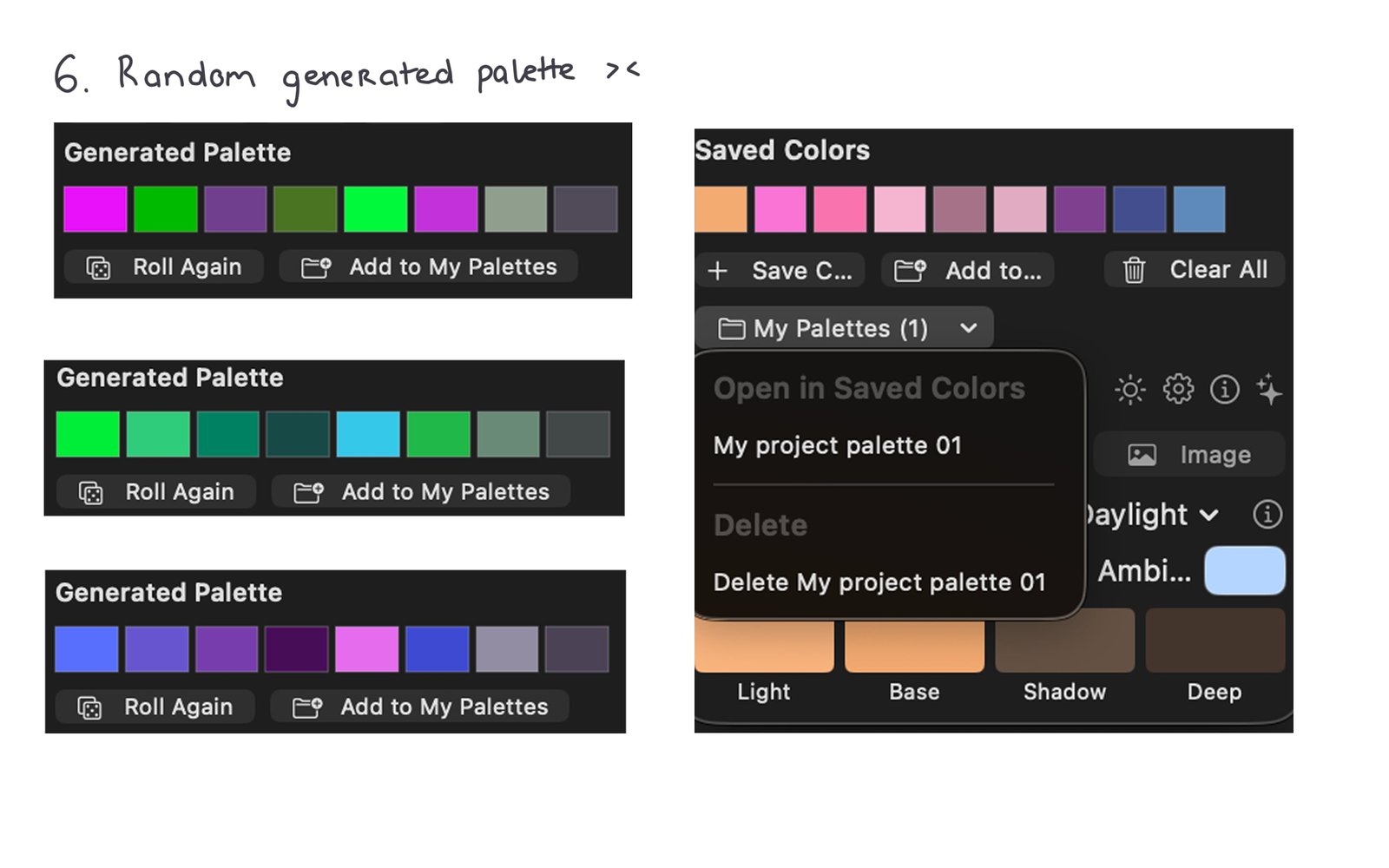
Made to stay close to your painting workflow
Color tools are most useful when they don’t interrupt what you’re doing.
Otter Color Picker was designed as a small companion tool that can stay nearby while you work, so you can experiment with a palette and quickly bring the result back into your art workflow.
We’re currently building and testing it primarily around digital painting workflows, including use alongside Clip Studio Paint.
The idea is simple: spend less time fighting with the color picker, and more time deciding what actually looks good.
Still growing
Otter Color Picker is a small project, and it’s still evolving.
There are plenty of things we want to improve — from the color calculations themselves to lighting controls and the overall workflow.
We’re also testing the tool with real artwork rather than only checking whether the numbers look correct. Color is visual, after all, and a mathematically neat result isn’t very useful if it doesn’t feel right when you paint with it.
If you try Otter Color Picker and something feels strange, confusing, or simply not useful, we’d genuinely like to hear about it.
Sometimes the smallest annoyance is exactly what leads to the next useful feature.
Otter Color Picker
A small color tool for artists